


No products in the cart.
Overview of available software versions:





In stock
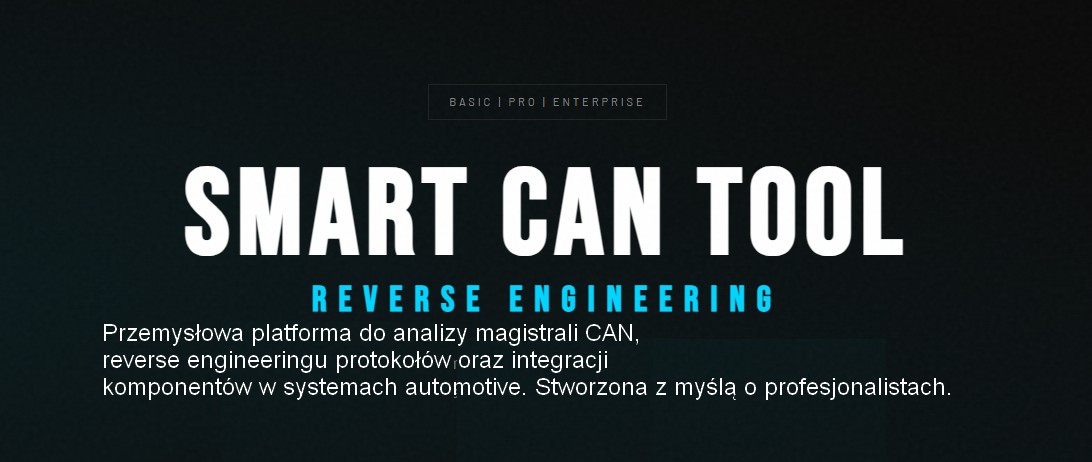
Smart CAN Tool is a professional software designed for CAN Bus analysis, protocol reverse engineering, and integration of electronic components in vehicles. The tool was created for automotive industry specialists, engineers, tuners, system integrators, and professionals involved in vehicle electronics diagnostics and development.
486.99zł +VAT
In stock
The Smart CAN Tool software is available in three versions: Basic, Pro, and Enterprise, which differ in the range of available features and level of advancement. Each successive version expands the capabilities for CAN bus analysis, integration, and emulation, allowing the tool to be tailored to the user’s needs—from basic diagnostics to advanced engineering work and automotive system development.
The Basic version includes all key features required for CAN bus analysis and operation, such as Reader, Player, Fuzzer, Data Swap, TX List, CAN Gateway, Bit-Crusher, Message Details, Virtual Scopes, as well as support for multiple interfaces and data formats. It is an ideal solution for basic diagnostics, communication analysis, and testing.
| Function | BASIC | PRO | ENTERPRISE |
|---|---|---|---|
| FUZZER | ✔ | ✔ | ✔ |
| READER | ✔ | ✔ | ✔ |
| PLAYER | ✔ | ✔ | ✔ |
| DATA SWAP | ✔ | ✔ | ✔ |
| TX LIST | ✔ | ✔ | ✔ |
| CAN GATEWAY | ✔ | ✔ | ✔ |
| BIT-CRUSHER | ✔ | ✔ | ✔ |
| MESSAGE DETAILS | ✔ | ✔ | ✔ |
| VIRTUAL SCOPES | ✔ | ✔ | ✔ |
| MULTI INTERFACE | ✔ | ✔ | ✔ |
| MULTI FORMAT | ✔ | ✔ | ✔ |
| CAN2 SUPPORT | — | ✔ | ✔ |
| MITM | — | ✔ | ✔ |
| ADVANCED GATEWAY | — | ✔ | ✔ |
| VIRTUAL IC | — | — | ✔ |
| VIRTUAL GENERATORS | — | — | ✔ |
| EMULATOR | — | — | ✔ |
| TX ADVANCED | — | — | ✔ |
FUZZER
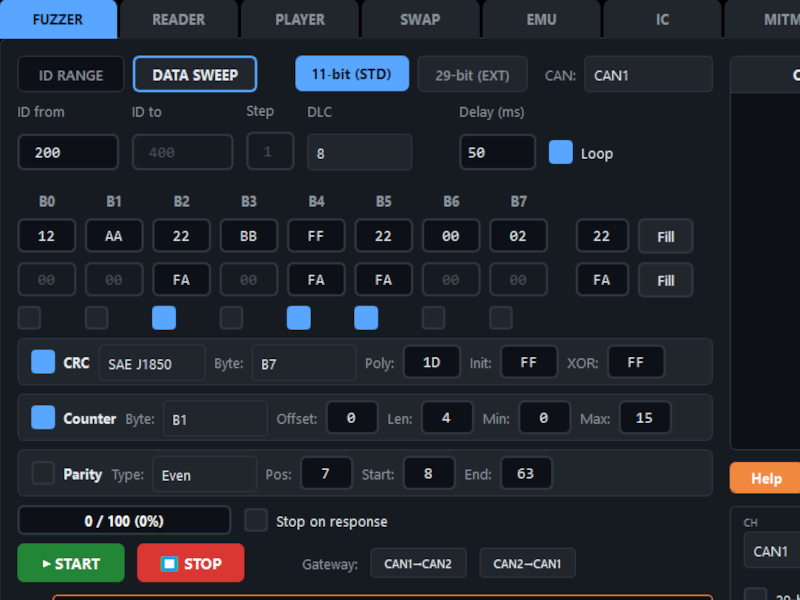
A module for automated scanning of the CAN bus, enabling detection of device responses to transmitted test messages. The ID Range mode allows systematic transmission of frames with consecutive identifiers in STD 11-bit (0x000–0x7FF) or EXT 29-bit (0x00000000–0x1FFFFFFF) format to identify active functions and modules. The Data Sweep mode allows modification of selected data byte values (D0–D7) while keeping the message identifier constant.
The function supports automatic CRC/Checksum calculation, message counter handling, and parity bit generation, ensuring the correctness of generated frames. The system detects responses from the CAN bus and allows automatic test termination upon detection. A loop mode for continuous testing is also available, along with a progress bar and a counter of transmitted frames. The module supports simultaneous operation on two CAN bus channels (CAN1 and CAN2).
READER
A real-time CAN bus monitoring module that enables simultaneous operation on two channels (CAN1 and CAN2). The software automatically sorts message identifiers and offers a Min/Max Tracking feature, supporting reverse engineering by detecting variable signals through tracking the value ranges of individual data bytes (00–FF). Modified bytes are automatically highlighted in red, making it easier to identify dynamic data.
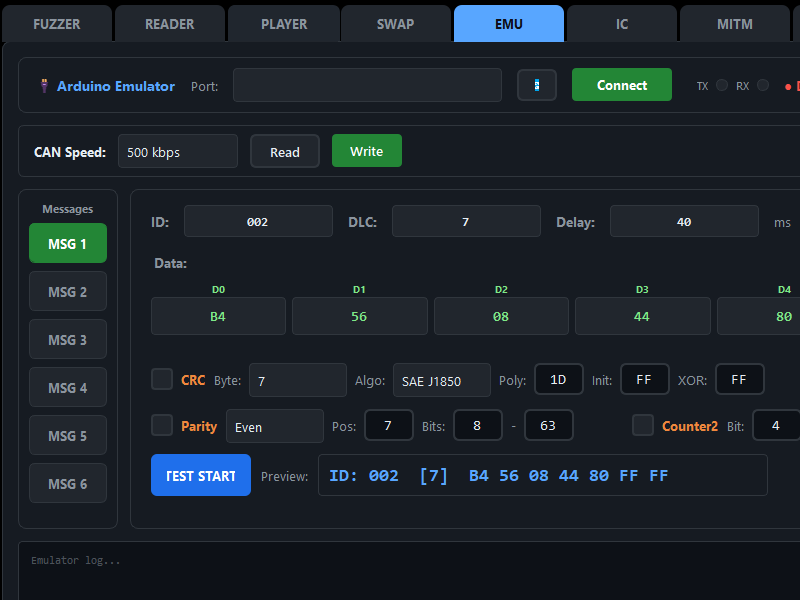
The filtering function allows displaying only selected identifiers (e.g., 200, 308, 418), improving the analysis of specific frames. The user can copy a selected message directly to the TX List or Emulator module, with automatic transfer of all parameters such as ID, DLC, transmission period, and data to the selected Emulator bank.
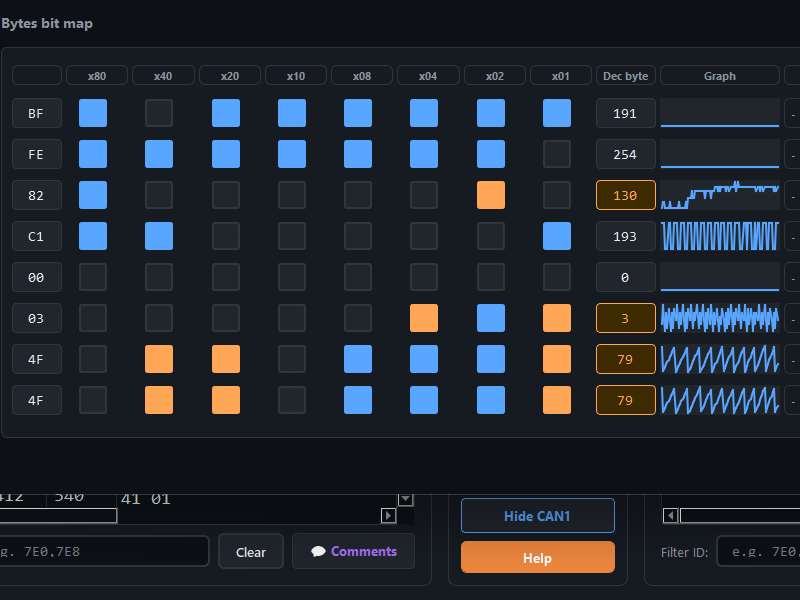
The module supports import and export of comments in JSON format, as well as export of recordings to CSV and ASC formats. Additionally, a Message Details window is available with bit map visualization and signal change graphs. The Reader supports automatic decoding of the J1939 protocol (29-bit), including PGN and SPN identification, and provides full support for DBC files.
PLAYER
A CAN bus recording playback module that allows importing files from popular applications such as Canhacker, SavvyCAN, Cangaroo, Ecumaster, and other compatible tools, with automatic format detection. The user has full control over the recording timeline, including pause, seek, and playback speed adjustment from 0.1× to 10×.
A loop mode is available for continuous playback of recordings, which is particularly useful for testing and simulation. The real-time identifier filtering function enables quick isolation and analysis of selected CAN frames.
The module allows exporting imported recordings to the native Smart CAN Tool format, improving performance when working with large files. The user can also select the CAN channel (e.g., CAN1 or CAN2) to which the playback data will be transmitted, allowing flexible use of the function in testing, simulation, and system integration.
DATA SWAP
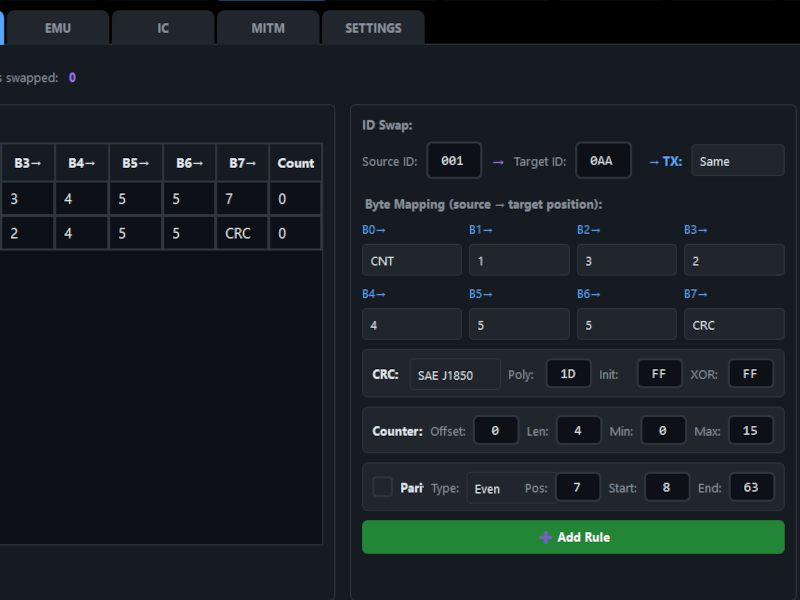
A module that enables real-time manipulation of CAN frame data through byte-level editing. The function allows defining modification rules for specific message identifiers (IDs) and specific byte positions (offsets), providing precise control over transmitted data.
Available operations include the Replace function, which allows substitution of selected values, and the Counter function, which automatically inserts a message counter into a defined byte. The module also supports automatic CRC calculation and insertion at a specified location, ensuring the integrity of modified frames.
Multiple modification rules can be applied simultaneously and saved as profiles (swap rules) for easy reuse. The Data Swap function is particularly useful for testing ECU responses to modified data without the need to interfere with hardware or the device’s original software.
TX LIST
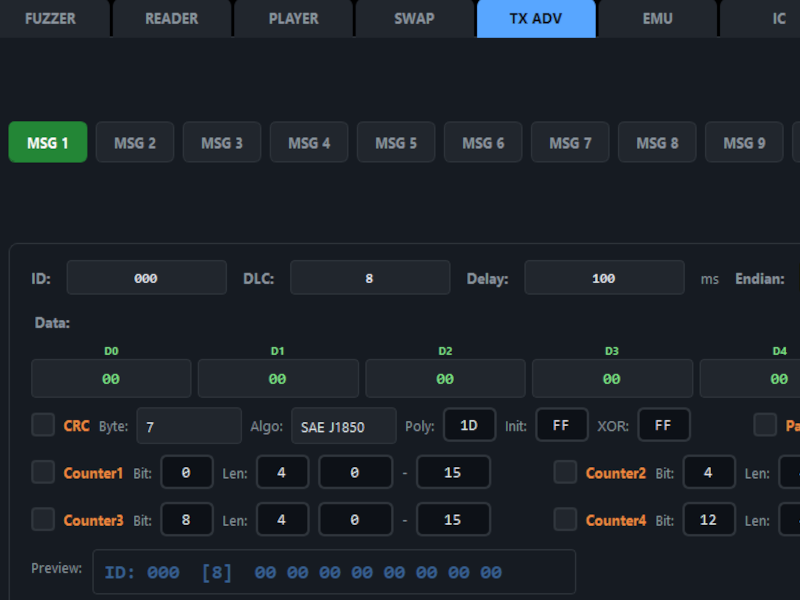
CAN transmission list management available in the Fuzzer tab. It is a table where multiple messages can be defined, and individual parameters can be configured for each message, such as interface (CAN1/CAN2), identifier (ID), data length (DLC), data bytes (D0–D7), transmission period (Period), and comment (Comment).
Both single-shot transmission and cyclic transmission are supported, with configurable intervals ranging from 1 ms to 5000 ms. Global start/stop control is available for all defined messages, as well as individual control for selected messages.
The function allows importing and exporting lists to files, copying and pasting between rows, and editing selected messages. The maximum number of messages in the list is 100.
Additionally, automatic copying of selected message content from the READER tool is available.
CAN GATEWAY
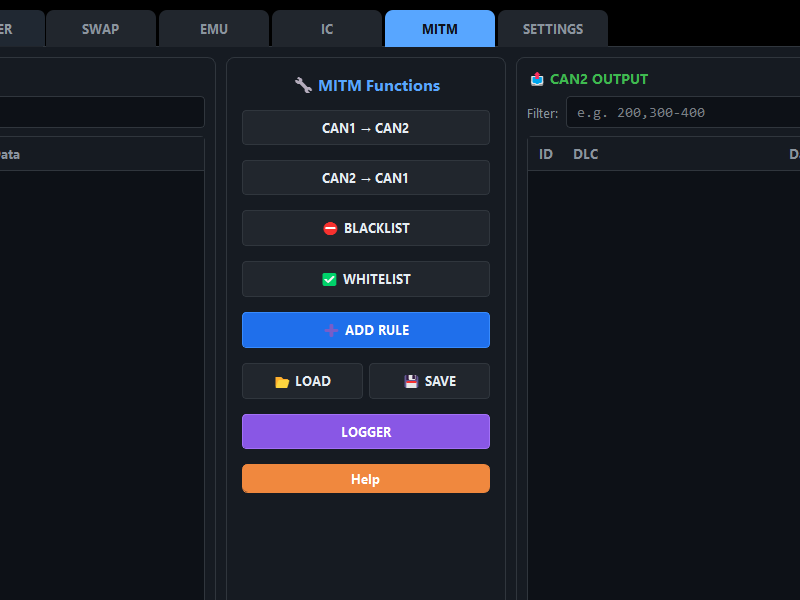
The CAN Gateway in Smart CAN Tool is a feature that enables forwarding of messages between the CAN1 and CAN2 buses. It operates as a communication bridge, ensuring controlled data flow between two independent CAN networks.
The user can define the transmission direction—from CAN1 to CAN2, from CAN2 to CAN1—or enable bidirectional data flow, allowing free exchange of frames between both buses.
BITCRUSHER
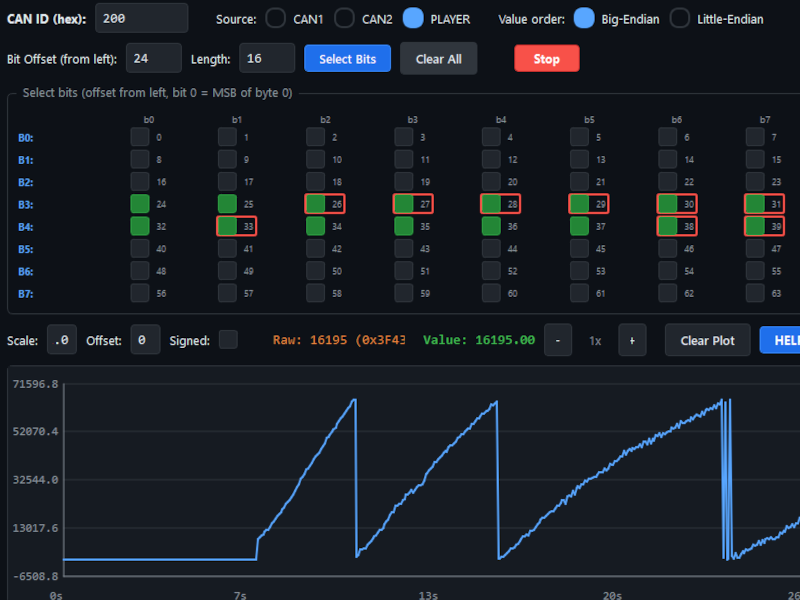
A CAN frame contains up to 64 bits of data (8 bytes). In practice, signals are not always aligned to full bytes—they may start in the middle of one byte and end in another, and some values may even be encoded within a single bit.
The Bitcrusher tool enables precise analysis of such signals at the bit level. The user can select any ID from the list of messages read in the READER monitoring window and then choose the CAN channel (or recording) from which the data should be analyzed.
Available features include:
If you identify an interesting signal (e.g., engine RPM) but do not know the relationship between the HEX value and the actual physical value, Bitcrusher allows applying a conversion factor (scale) and offset to the selected reading.
For example, for temperature readings in BMW vehicles, an offset of -48 is often used to obtain the actual temperature value from raw data.
MESSAGE DETAILS
The Message Details function enables detailed analysis of selected CAN frames. The window is opened by double-clicking a selected message in the READER tool.
Available features include:
VIRTUAL OSCILLOSCOPES
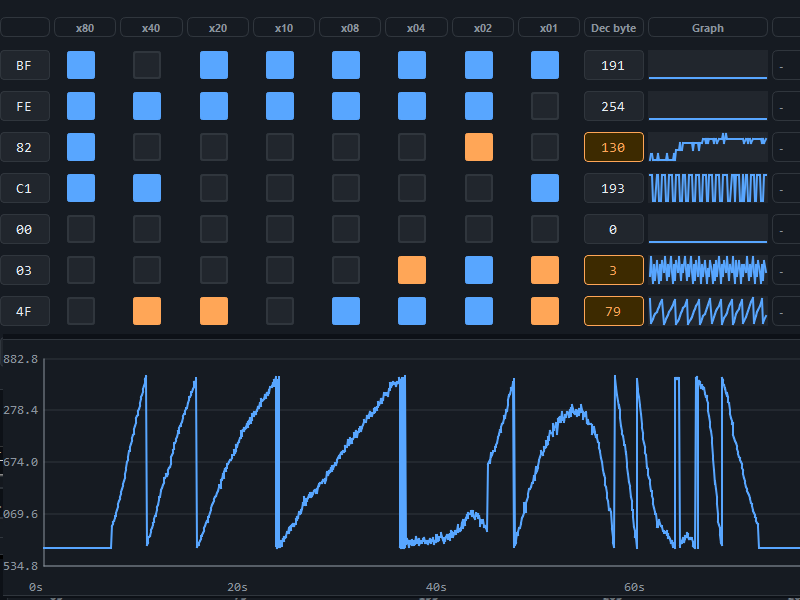
Visually interpreting CAN-Bus data by observing changing bits can be tiring and, in many cases, inefficient. That’s why Smart CAN Tool provides virtual oscilloscope-style graphs, which allow clear analysis of signal changes over time.
The graphs enable observation of:
Thanks to graphical signal presentation, quickly identifying data such as message counters, accelerator pedal position, or engine RPM becomes much easier and more intuitive.
MULTI INTERFACE SUPPORT
Smart CAN Tool works with a wide range of CAN-Bus interfaces available on the market, ensuring compatibility with both popular and professional solutions.
The software fully supports CANable adapters with SLCAN or candleLight firmware—an economical solution ideal for daily work and hobby applications.
Additionally, professional interfaces compliant with the PassThru J2534 standard, commonly used in workshop diagnostics, are supported. The list of tested and compatible devices is continually expanding and includes, among others: Tactrix OpenPort, Scanmatik2, Scanmatik3, GM MDI J2534, WeAct Studio USB2CANFD, Autel MaxiFlash Elite, and more.
Key features:
MULTI FORMAT IMPORT
Smart CAN Tool allows importing CAN files from many popular formats used by various diagnostic and analysis tools, such as Canhacker 2/3, Ecumaster, SavvyCAN, and Cangaroo.
The software automatically detects the file format based on its signature, eliminating the need for manual configuration during import. If the file contains channel information, the tool can also automatically distinguish and assign data to the appropriate CAN1 and CAN2 buses. This feature enables easy analysis of previously recorded data, regardless of the source tool used.
Dostepne w 3 dni / Available in days
DP4 Package Mercedes DP4 Package Mercedes DiagProg4 diagnostic tester is innovative diagnostic equipment used for diagnostics, repair, programming modules such as Airbag sensors, ECU, Anti-lock Braking System pump (ABS) and many more.
Available on backorder
The Scanmatik SM3 Pass-Thru adapter is the successor to the SM2Pro adapter with CAN-FD and DoIP protocols. It offers the widest support for the standard SAE J2534-1/2 and TMC RP1210 functions required by OEM vehicle diagnostics and reprogramming software, vehicle tuning and ECU reprogramming software such as PCMflash, BitBox, Combiloader, MDFlasher etc. Exclusive software features have been implemented to extend the range of vehicle and functions (ignition status emulation (VAG ODIS), KLINE multiplexing (MB-DAS), etc.). J1850 VPW/PWM, Chrysler SCI interfaces have been implemented to support older vehicles.

In stock
This set includes Jaltest hardware + software for agriculture, heavy machinery, material handling Euipment. Jaltest is a Multibrand and Multisystem diagnostics tool developed to perform the most advanced construction machinery, equipment diagnostics and maintenance tasks in an easy and intuitive way
The first annual subscription is included in the product price.
Each subsequent renewal is equal to:
Jaltest MHE: 425€
Jaltest OHW: 750€
Jaltest AGV: 650€


